

Google has release a redesign of Gmail that provides a lot of new advance features including:
- Email shortcuts
- Email snoozing
- Smart Reply
- Risk warnings
- Confidential Mode with 2-factor authentication
- Native offline mode
- etc
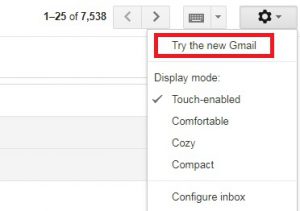
The rolling out process is still in-progress. If you can’t wait and want to use all those new features today, you should go to Settings (the cog wheel in the top right corner of your inbox) and select “Try the new Gmail”. That’s it. Enjoy!
Google: Stay composed: here’s a quick rundown of the new Gmail
Google: With new security and intelligent features, the new Gmail means business